The Banglar Yuva Sathi Scheme has seen massive participation from unemployed youth across West Bengal. Thousands of applicants have submitted their forms through both online registration and offline camps (Shibir). If you have already applied, the next important step is to check your application status.
In this SEO-optimized guide, you will learn how to check your Banglar Yuva Sathi status for both online and camp applications, along with some important tips. যারা আবেদন করেছেন, তারা নিচে দেওয়া স্টেপগুলি অনুসরণ করুন।
Banglar Yuva Sathi Scheme 2026
Apply or check your status / আবেদন করুন অথবা আপনার স্ট্যাটাস পরীক্ষা করুন:
How to Check Banglar Yuva Sathi Status (Online Applicants)
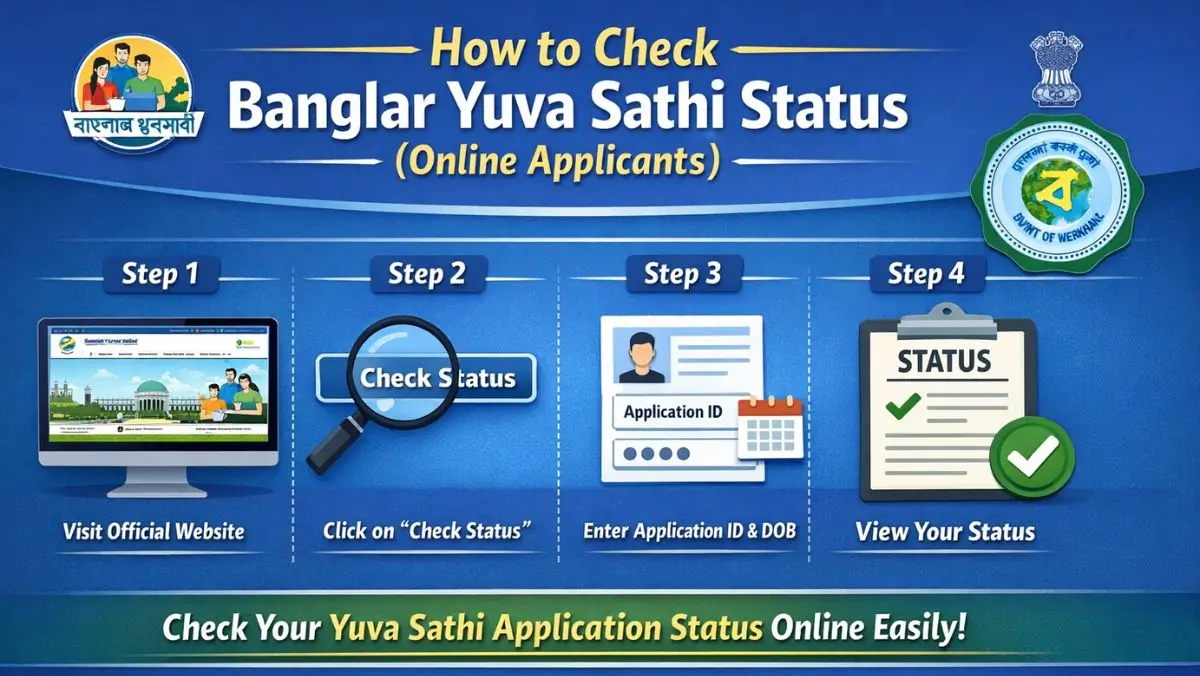
If you applied through the official website, you can check your status easily by following these steps.
Step-by-Step Process
Step 1: Visit the official portal
Open the official website: apas.wb.gov.in
Step 2: Click on Applicant Login / Status Check
On the homepage, find the option for Check Status.
Step 3: Enter Registered Details
Enter your:
- Registered Mobile Number
or - Application ID (if available)
Step 4: OTP Verification
An OTP will be sent to your mobile number. Enter the OTP to proceed.
Step 5: View Your Status
After login, your current application status will appear on the screen.
Possible Application Status
You may see one of the following:
- Submitted – Form successfully received
- Under Verification – Documents are being checked (তথ্য যাচাই চলছে)
- Approved – Application accepted
- Rejected – Application not eligible or incomplete
If your status shows Under Verification, do not worry. The process may take a few days.
How to Check Status for Camp (Offline) Applicants
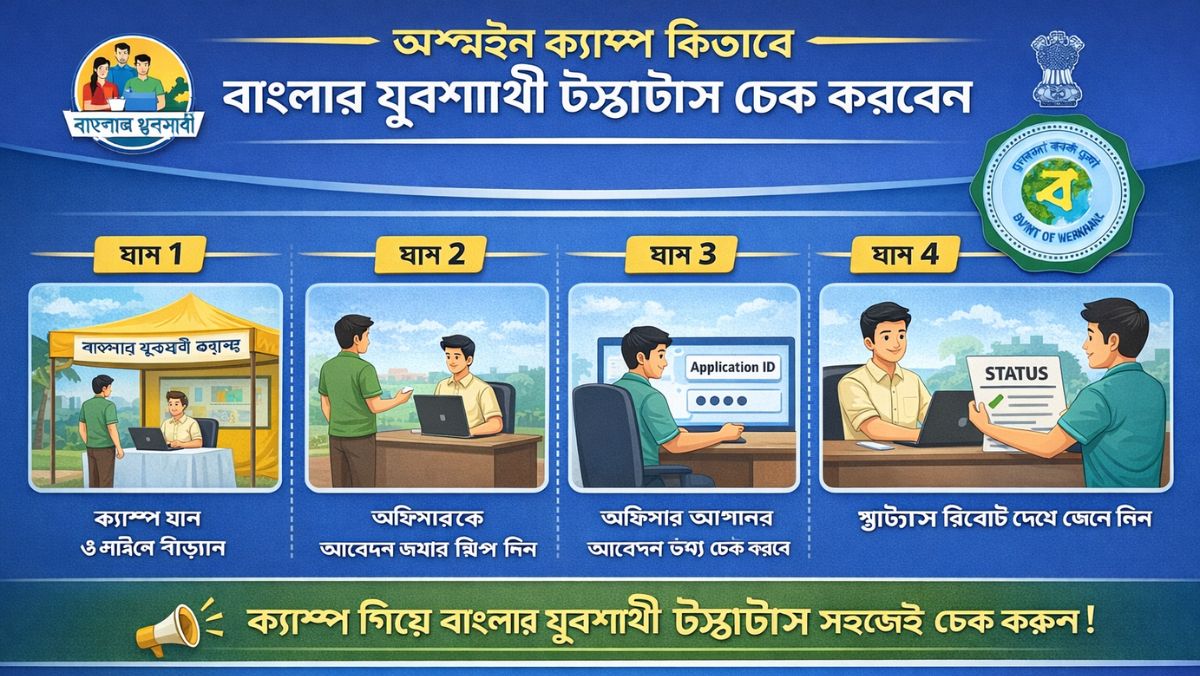
Many candidates applied through special camps organized across different Assembly areas. These Yuva Sathi Shibir were arranged to help youth who do not have easy internet access.
Important Note
When you submit your form at a camp:
- Your documents are verified locally
- Your details are uploaded to the online system
- After data entry, your status becomes visible on the portal
So, camp applicants may need to wait for a few days.
Steps for Camp Applicants
Step 1: Wait for Data Upload
After submitting your form at the camp, wait for the official entry process.
Step 2: Visit the Official Website
Go to apas.wb.gov.in
Step 3: Click on Status Check
Step 4: Enter Your Mobile Number
Use the same mobile number you provided during camp registration.
Step 5: OTP Verification
Enter the OTP received on your phone.
Step 6: Check Your Status
If your data has been uploaded, your application status will be displayed.
যদি স্ট্যাটাস না দেখায়, তাহলে কিছুদিন পর আবার চেক করুন।
What to Do If Status Is Not Showing?
If your application status is not visible:
- Wait for a few more days
- Ensure you are using the correct mobile number
- Visit your nearest camp or local office for help
- Sometimes delays happen due to high application volume
Important Tips for Applicants
- Always keep your registered mobile number active
- Save your Application ID safely
- Make sure your bank account is active and Aadhaar-linked
- Provide correct documents and information
- Incorrect details may lead to rejection
What Happens After Approval?
If your status shows Approved:
- You will be included in the beneficiary list
- Financial assistance will be transferred directly to your bank account
- You may receive an SMS notification
This support aims to help unemployed youth manage basic expenses while searching for jobs. এই প্রকল্প অনেক ছাত্র-ছাত্রীদের জন্য উপকারী হতে পারে।
Conclusion
Checking your Banglar Yuva Sathi application status is simple for both online and offline applicants. Online users can track their status instantly, while camp applicants need to wait until their data is uploaded. Always rely on the official website for accurate updates.
If you have applied, keep checking the portal regularly and stay updated. With proper verification and correct details, your application process will move smoothly.
বাংলার যুবদের জন্য এই প্রকল্প নতুন আশার আলো নিয়ে এসেছে।